
Table of Contents
ToggleSetting up a living room around a TV requires more than just plunking down a flat screen on any piece of furniture. The right living room TV furniture creates a functional viewing hub that balances aesthetics, comfort, and storage. Whether someone is upgrading an existing setup or furnishing a room from scratch, understanding the core components, TV stands, seating, and storage, makes the difference between a cramped, awkward space and one that actually works for how people live. This guide walks through the essentials of selecting TV furniture that fits both the room and the lifestyle, with practical advice on sizing, layout, and styling that doesn’t require a designer’s budget.
Key Takeaways
- Living room TV furniture should position the TV’s center at eye level (42–48 inches from the floor) with the viewing distance at least 1.5 times the screen’s diagonal width to prevent neck strain and ensure comfortable watching.
- A TV stand’s width should be 5–15 percent wider than the TV itself; for example, a 55-inch TV needs a stand at least 54 inches wide, with 4 inches of clearance on all sides for proper ventilation and heat management.
- Choose durable materials like engineered wood, plywood, or solid wood paired with metal trim over particleboard, as they withstand high-use environments and last longer, especially in humid climates.
- Seating solutions should match your room shape and viewing habits—sectionals work for large gatherings, while a quality sofa with 30–36 inches of depth combined with accent chairs offers flexibility for various spaces.
- Smart cable management using ties, conduit, and labeled cables is essential to maintain a polished appearance and simplify future troubleshooting behind or inside the entertainment center.
- Balanced room acoustics come from combining soft furniture (upholstery, curtains) with strategic bias lighting and accent features, creating both visual appeal and optimal sound quality for your entertainment setup.
Understanding TV Furniture Essentials
Living room TV furniture isn’t just about what looks good, it’s infrastructure for how a space functions. The core pieces work together: a TV stand or entertainment center holds the screen at the right height and angle, seating faces it comfortably, and storage keeps remotes, cables, and media organized. Start by measuring the room and the TV’s actual dimensions (not just the diagonal screen size). Most people underestimate how much viewing distance they need: the general rule is to sit at least 1.5 times the screen’s diagonal width away. A 55-inch TV, for example, requires at least 6 feet of viewing distance for comfortable watching without neck strain.
Before shopping, consider what the furniture needs to hold. Modern setups often include a streaming device, a soundbar, gaming consoles, and cables that hide poorly. A TV stand or entertainment center should have ventilation space, at least 4 inches of clearance on all sides of the TV, to prevent heat buildup and equipment failure. Also think about cable management: cheap stands have no thought for cord routing, while better pieces include built-in channels or rear panels that hide the messy reality of modern entertainment.
TV Stands and Entertainment Centers
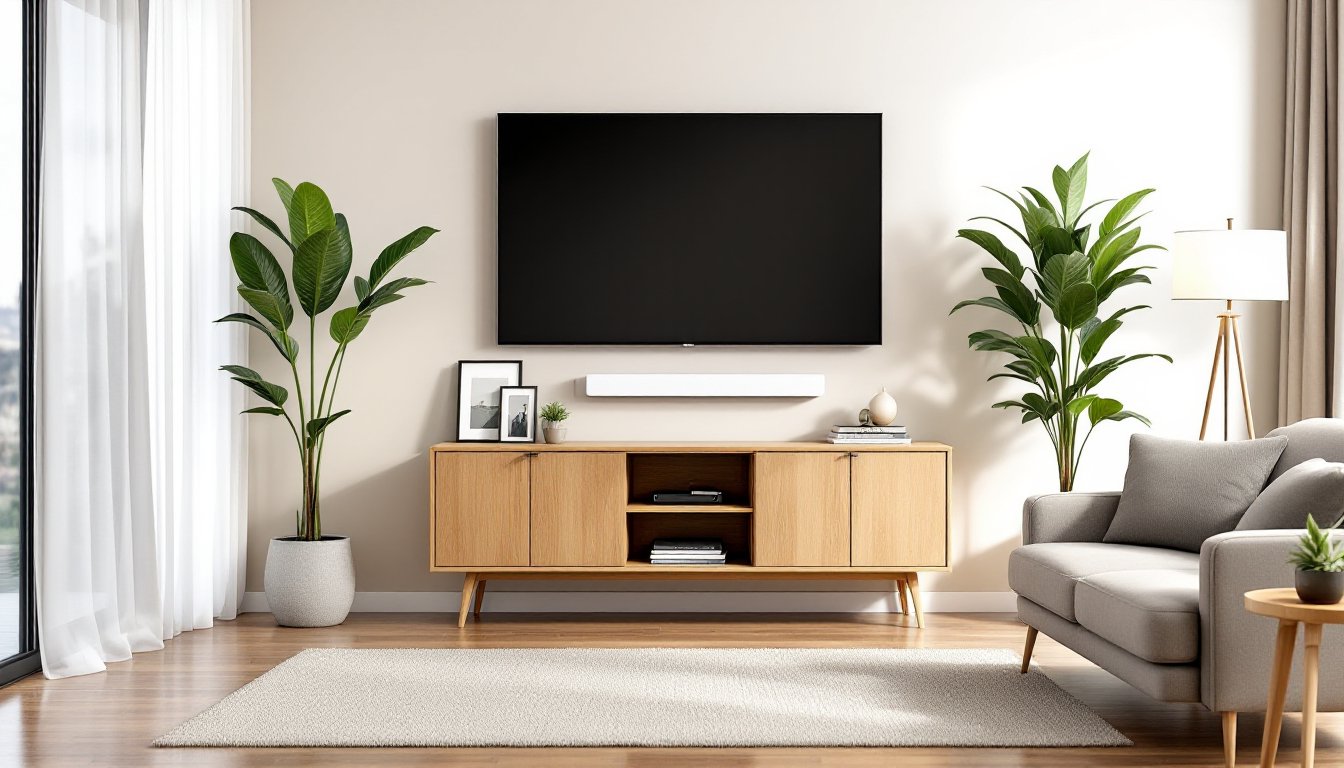
This is the anchor piece. TV stands range from simple open frames to full entertainment centers with cabinets, shelving, and hidden storage. Open-frame stands suit modern, minimalist rooms and keep the visual footprint light, useful in smaller spaces. Entertainment centers feel more substantial, often spanning an entire wall, and are ideal for rooms where the TV furniture becomes the focal point and storage hub.
Choosing the Right Size and Style
The stand’s width should be 5 to 15 percent wider than the TV itself. A 55-inch TV (roughly 49 inches wide) needs a stand that’s at least 54 inches wide, preferably 60 inches. Going wider than necessary isn’t wasteful, it adds visual stability and often provides shelf or cabinet space. Modern TV stand for living room designs in 2026 favor clean lines and mixed materials: wood with metal legs, floating shelves paired with closed cabinets, or minimalist metal frames. These styles adapt better to different décors than ornate, heavy pieces.
Height matters more than many realize. The TV’s center should be at eye level when seated, typically 42 to 48 inches from the floor. Most entertainment centers are built to this standard, but verify before buying. If the stand is too low, viewers tilt their heads down all evening, causing neck strain. Too high, and ceiling mounting becomes necessary, which requires stud location, proper brackets (rated for the TV’s weight), and ideally, hiding cables in-wall, a job for someone comfortable with basic electrical rough-in, not a casual DIYer.
Material durability matters in a high-use piece. Solid wood or plywood with veneer outlasts particleboard, especially in humid climates. Metal stands require attention to rust if near windows or in damp basements. For a mid-range setup that balances cost and longevity, engineered wood (plywood or high-grade MDF) paired with wood or metal trim is the practical sweet spot.
Seating Solutions for Optimal Viewing
Comfort matters as much as the screen itself. Living room seating around a TV isn’t one-size-fits-all: it depends on the room shape, the number of people, and viewing habits. A sectional works well for large rooms where everyone watches together. Sectionals also define the space and give the room a clear social hub. For narrower rooms or shared spaces, a sofa paired with accent chairs or recliners offers flexibility, people can move chairs to face the TV without rearranging furniture.
Consider sightlines before buying. If the TV is positioned against a wall, the seating should face it directly. If there’s a window behind the TV, glare becomes a problem: position seating to minimize reflections, or plan to use blackout shades during the day. Recliners add comfort for long viewing sessions, but they’re bulky and require floor space or wall space for reclining. For most living rooms, a quality sofa with proper depth (30 to 36 inches) beats a recliner that dominates the room.
Harder to quantify but crucial: acoustics. Soft seating (upholstery, cushions, curtains) absorbs sound, which is good for normal conversation levels but can muddy a soundbar or speaker system. Bare walls and hard flooring bounce sound around. A balanced room has some soft furniture to tame reflections without deadening the audio. If investing in a soundbar or surround speakers, account for where they’ll sit in the layout.
Storage and Styling Considerations
Smart storage keeps the living room from looking like an electronics dump. Entertainment centers with closed cabinets hide remote collections, gaming controllers, extra remotes, and the tangle of cables that accompanies modern TVs. Open shelving displays books, plants, or decorative objects, but every item visible becomes part of the visual clutter, less is more here.
Cable management is not optional. Behind or inside the stand, use cable ties, conduit, or managed channels to bundle and route wires. Label each cable with painter’s tape and a Sharpie so future troubleshooting is faster. Mount the receiver, streaming device, and gaming console on the shelf with enough ventilation (don’t stack them directly on top of each other). Most equipment generates heat, and poor airflow shortens component life.
Styling the entertainment center is where personality comes in. Plant a tall plant or sculpture on either side of the TV for balance. A few books, framed photos, or objects on shelves feels intentional, not crowded. Avoid the clutter of small tchotchkes: stick to pieces that matter visually or functionally. A floating shelf above the TV or beside the stand can display speakers or decorative pieces without eating floor space. The goal is a polished look that doesn’t scream “home theater nerd” unless that’s the aesthetic you’re after.
Layout and Space Planning Tips
Room shape determines furniture arrangement. Rectangular rooms naturally funnel seating toward the TV wall. Rooms with odd angles or islands (kitchen peninsulas, pillars) require creative placement, sometimes the TV goes on a wall perpendicular to the main seating, or a sectional wraps around a corner. Measure the room carefully, noting windows, doors, electrical outlets, and how traffic flows through the space.
Before committing to furniture, sketch the layout on graph paper or use a room-planning app. Most online furniture retailers include dimension specs: use them to ensure the TV stand fits without blocking doorways or windows, and that seating leaves enough room to walk around comfortably. A common mistake is pushing furniture too far back: viewers end up 12 feet from a 55-inch TV, straining to see detail. Conversely, sitting too close causes eye fatigue and neck strain.
Lighting is often overlooked but critical. Ambient light from a window facing the TV causes glare: position seating or install shades to manage it. Behind the TV, a bias light or accent lighting reduces eye strain during evening viewing by matching the light behind the screen to the image. It’s not essential, but it makes a noticeable difference on long viewing nights. Finally, consider a central rug under the seating area: it anchors the space visually and dampens sound, improving acoustics and making the room feel intentional rather than scattered.
Conclusion
Building a functional living room TV setup comes down to honest assessment: measure the space, understand the viewing distance and sightlines, choose furniture that fits both dimensions and lifestyle, and plan for cables, ventilation, and comfort. There’s no single “right” answer, a compact apartment calls for a slim stand and modest seating, while a large room accommodates a full entertainment center and sectional. Start with the fundamentals, the TV stand height and size, seating distance, and storage needs, and the aesthetic follows naturally. A well-planned living room TV furniture arrangement looks effortless and performs reliably for years.